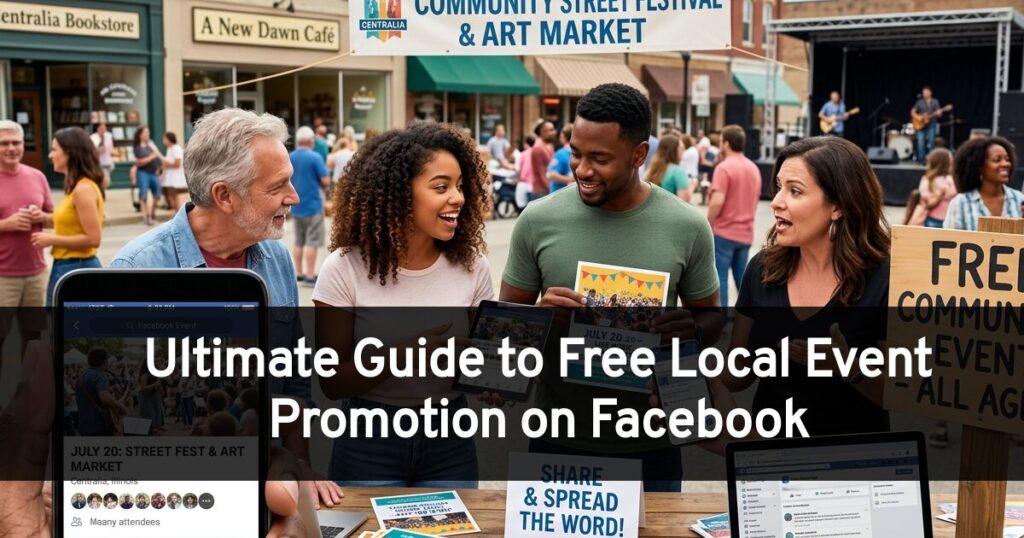
Are you planning a local event but don’t have the budget to promote it on Facebook? Don’t worry! There are plenty of free ways to get the word out and attract attendees. The Facebook Events tool is used by millions of people to discover local events every month. In this guide, we’ll walk you through how to use Facebook’s powerful tools to promote your event effectively, even if you’re a bar, a concert, a wedding or party planner, a DJ, or a local organization.
Why Should You Use the Facebook Events Tool?
If you’re not using the Facebook Events tool to promote your event, you’re missing out on a huge opportunity. In fact, 1 billion people attend events listed on Facebook each month, and over 41% of Millennials have discovered events through Facebook. Here’s why:
- Increased Visibility: Facebook Events are highly visible on the platform. When someone creates an event, it’s often featured in their friends’ news feeds and on the “Events” tab.
- Targeted Audience: You can use Facebook’s targeting tools to reach people who are likely to be interested in your event. You can target by location, interests, demographics, and even behaviors.
- Easy RSVPing: The Facebook Events tool makes it easy for people to RSVP to your event. This helps you get an accurate headcount and communicate with attendees.
- Event Notifications: When people RSVP to your event, they’ll receive notifications about updates and reminders. This helps keep your event top-of-mind and encourages people to show up.
- Valuable Analytics: Facebook provides valuable analytics for your events, including data on reach, engagement, and RSVPs. This information can help you improve your future event planning.
You can use this tool for free, or even toss in a few bucks to boost the event to your local area!
Step-by-Step Guide to Free Event Promotion on Facebook
Now that you understand the importance of Facebook Events, let’s get into the nitty-gritty of how to promote your event for free.
- Create a Compelling Event Page
- Optimize Your Event Page for Search
- Invite Your Friends and Followers
- Share Your Event in Relevant Groups
- Partner with Local Businesses and Organizations
- Use Facebook Live to Build Hype
- Run Free Giveaways and Contests
- Update Your Event Page Regularly
- Use Facebook Messenger to Communicate with Attendees
- Leverage Your Personal Profile
- Collaborate with Local Influencers
- Use Facebook Stories to Create a Sense of Urgency
- Optimize Your Post Times
- Use Facebook Events Insights to Track Your Progress
- Message Local Area Friends to Share Your Event to Their Facebook Wall
- Ask for Feedback After the Event
Create a Compelling Event Page
The first step is to create a compelling event page. Make sure your event page includes:
- An Eye-Catching Cover Photo: Use a high-quality photo that captures the essence of your event.
- A Descriptive Title: Choose a title that is clear, concise, and informative.
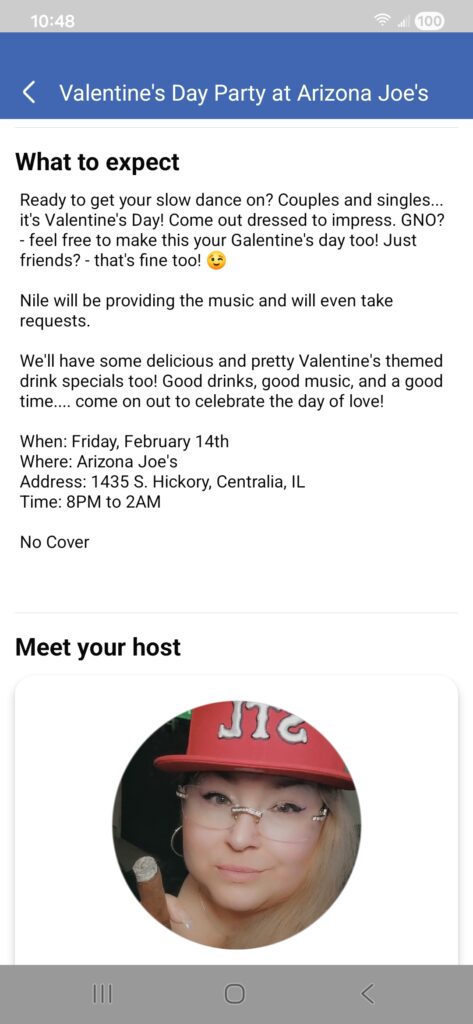
- Detailed Event Description: Provide all the important details about your event, including the date, time, location, and what attendees can expect.
- Compelling Images and Videos: Use images and videos to make your event page more engaging.

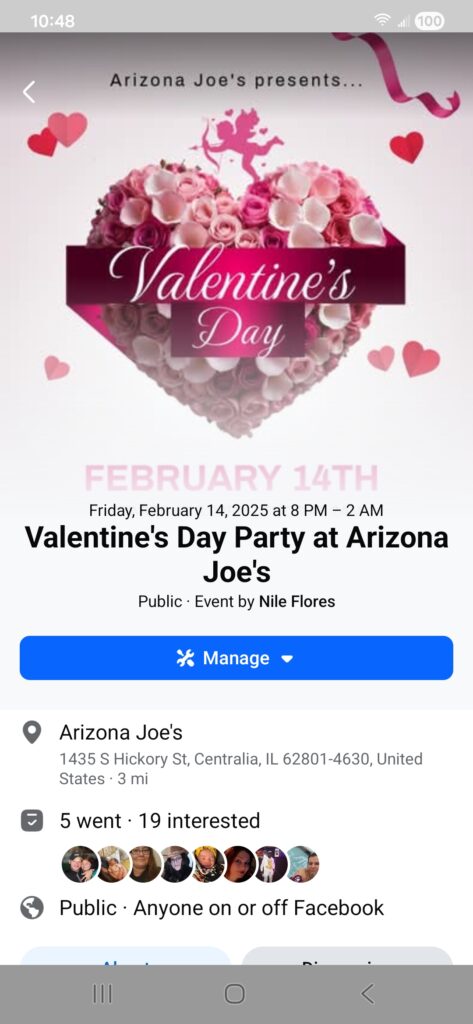
Optimize Your Event Page for Search
To make your event more discoverable, optimize your event page for search by:
- Including Keywords: Use relevant keywords in your event title, description, and tags.
- Using a Clear Location: Make sure your event location is clearly stated and easy to find on a map.
- Categorizing Your Event: Choose the correct category for your event (example – concert, workshop, fundraiser).
Invite Your Friends and Followers
The first people you should invite to your event are your friends and followers. Ask them to share your event with their own networks.
Share Your Event in Relevant Groups
Join relevant Facebook Groups in your area and share your event with their members. Be sure to follow the group’s rules and avoid spamming.
Partner with Local Businesses and Organizations
Partner with local businesses and organizations that serve a similar audience to your event. Ask them to help you promote your event in exchange for free promotion for their business.
Use Facebook Live to Build Hype
Use Facebook Live to build hype for your event. You can do live Q&A sessions, behind-the-scenes videos, or even live performances.
Run Free Giveaways and Contests
Run free giveaways and contests on your event page to generate excitement and encourage people to RSVP.
Update Your Event Page Regularly
Keep your event page updated with new information, photos, and videos. This will keep people engaged and make them more likely to attend.
Use Facebook Messenger to Communicate with Attendees
Use Facebook Messenger to answer questions, send reminders, and communicate with attendees. This is a great way to build relationships with your audience.
Leverage Your Personal Profile
Don’t forget to share your event on your personal profile. Your friends and family are likely to be interested in attending! Please note that your personal profile should not be your business page as that is a violation of Facebook Terms of Service. Make sure to either share from your business page to your profile or you can create a post and tag in the business page.
It’s important to create context outside of the Facebook event reminder, so you can hype up your friends and followers to actually share or RSVP the event.
Collaborate with Local Influencers
Identify local influencers who are relevant to your event and ask them to help you promote it. They can share your event with their followers and generate buzz.
Use Facebook Stories to Create a Sense of Urgency
Use Facebook Stories to create a sense of urgency and encourage people to RSVP. For example, you can create a Story that countdowns to the event date.
Optimize Your Post Times
Pay attention to when your audience is most active on Facebook and schedule your posts accordingly. This will help you maximize your reach.
Use Facebook Events Insights to Track Your Progress
Use Facebook Events Insights to track your progress and see what’s working. This will help you adjust your strategy and improve your results.
Message Local Area Friends to Share Your Event to Their Facebook Wall
Whether your Facebook friends can attend your event or not, messaging them to ask them to take a moment to share your event to their wall helps spread the word. This is not the same as collaborating with local area influencers. This also isn’t the same as posting within the event discussion to ask to share the event. You should be doing both.
This is connecting and getting regular people to engage with your event. Make sure to message some of your friends that are from the local area, as asking every friend from all over the globe won’t help. The most your friend can say is “no”, otherwise it’s free advertising and it really only takes them a couple seconds to share it on their Facebook wall. Even better if they could go to the event and use the Invite option.
Ask for Feedback After the Event
After the event, ask attendees for feedback. This will help you improve your future events and show that you value your audience’s opinion.
In Summary
By following these free event promotion tips, you can increase awareness, generate excitement, and attract more attendees to your local event. Good luck!


Leave a Reply