If you’ve surfed around WordPress themes, you might have come across some that have “responsive” and “SEO-friendly” descriptions, but you might have also spotted a specific label: “accessibility-ready”.
What does that mean? Also, what does accessibility mean? Well, here’s the answer.
What does “Accessibility Ready” mean?
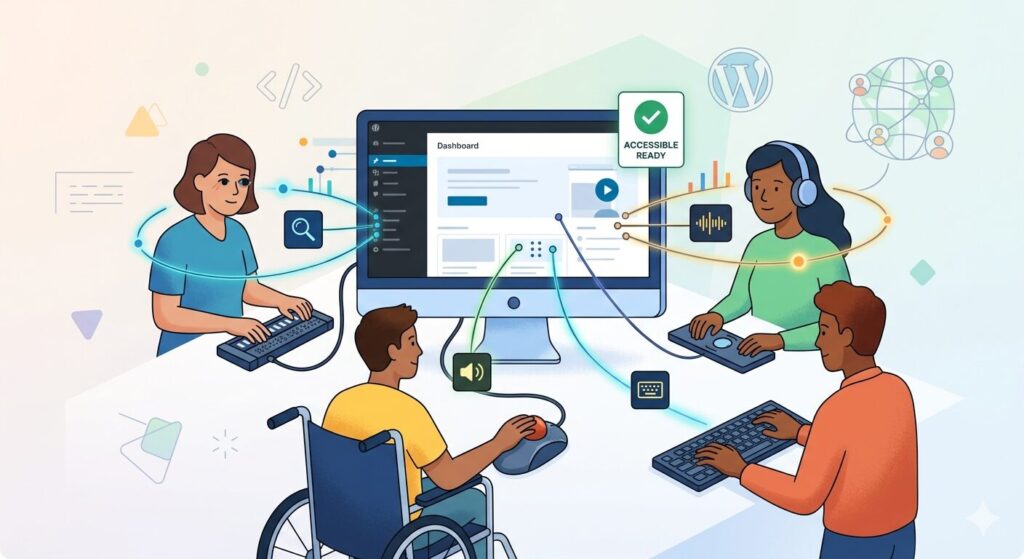
Accessibility ready doesn’t necessarily mean that the theme is 100% web accessible. Accessibility, in terms of website design and development:
Think of your website as a physical space. Just as buildings need ramps, wider doorways, and elevators for people with limited mobility, websites need features that make them usable for people with disabilities. That’s where web accessibility comes in.
Web accessibility involves designing and developing your site so that everyone, including people with visual, auditory, cognitive, and motor impairments, can perceive, understand, navigate, and interact with your content effectively.
WordPress, being a popular platform, understands the importance of this. The “accessibility-ready” label in the theme repository is a specific badge granted to themes that meet a baseline standard of accessibility. While not all-encompassing, it signifies that the theme developer has:
- Passed automated checks: Used tools that scan the theme’s code for common accessibility issues.
- Conducted manual audits: Tested the theme with screen readers (software that reads screen content aloud) and other assistive technologies.
- Adhered to specific guidelines: Followed criteria based on the Web Content Accessibility Guidelines (WCAG) 2.0 or 2.1, which are the international standard for web accessibility.
Key Features of Accessibility-Ready Themes
- Keyboard navigation: Users can navigate your entire site using only their keyboard – essential for those with motor impairments.
- Meaningful alt text for images: Screen readers can describe images to visually impaired users, providing context and understanding.
- Clear and simple content structure: Uses headings (H1, H2, etc.) and lists logically, making content easier to scan and comprehend.
- Sufficient color contrast: Text is clearly legible against its background, aiding users with low vision or color blindness.
- Form accessibility: Contact forms, search bars, and other interactive elements are clearly labeled and keyboard-accessible.
- No focus trapping: Users aren’t stuck on elements they can’t navigate away from.
- Consistent navigation and identification: Menus and elements look and behave similarly throughout the site.
- Error identification and recovery: Forms clearly explain errors and provide simple solutions.
Why Should WordPress Users Choose Themes that are Web Accessible?
Beyond the important ethical reason of inclusivity, there are several practical reasons why choosing an accessible theme is smart for every website owner:
- Reaches a Wider Audience: There are millions of people with disabilities worldwide. An accessible site allows you to connect with this often-underserved audience, increasing your potential reach.
- Improves Search Engine Optimization (SEO): Guess what? Many practices that make a site accessible also improve its SEO. Using descriptive headings, alt text for images, and logical structure helps search engines better understand and rank your content.
- Enhances User Experience (UX): Accessible features often benefit all users. Clear navigation, well-structured content, and clear forms make your site more user-friendly for everyone. Think about navigating a site with a slow internet connection or using a mobile device – those accessibility principles translate to better mobile experiences as well.
- Minimizes Legal Risks: Web accessibility is increasingly becoming a legal requirement in many jurisdictions. Ensuring your site meets accessibility standards can help you avoid potential lawsuits and penalties.
- Builds Brand Reputation and Trust: Demonstrating commitment to inclusivity and accessibility enhances your brand’s image and fosters trust with all your users.
- Prepares for the Future: Web accessibility standards continue to evolve. Choosing an accessibility-ready theme lays a solid foundation for future-proofing your site and adapting to new standards.
Finding Accessibility-Ready Themes
Just answering the question and leaving you without a little bit on where to look for these accessibility ready themes would be heartless of me, so here are some tips to set you on your way. Please note that this is more WordPress- focused, rather than general website templates or other content management systems:
The official WordPress Theme Directory makes finding these themes relatively easy.
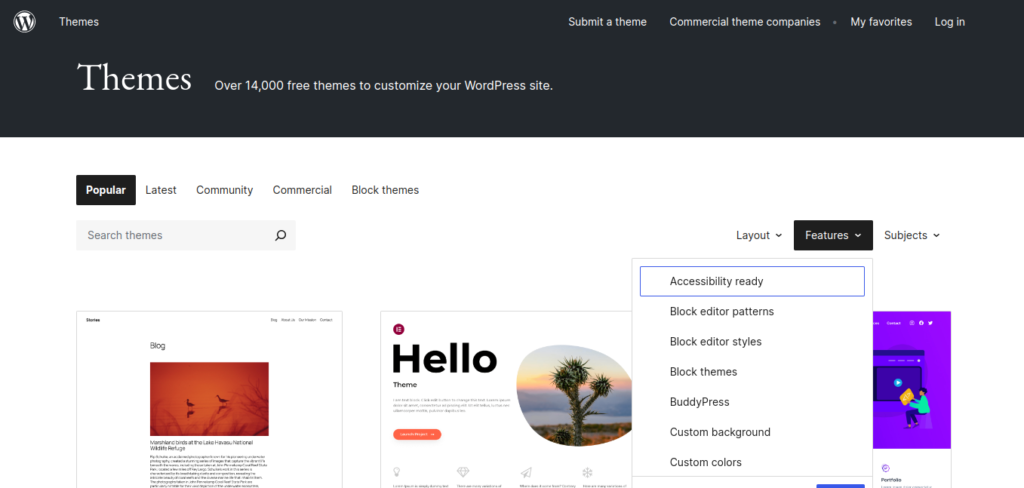
- Go to the Theme Directory.
- In the search bar, type “accessibility-ready”.
- You’ll see a filtered list of accessibility-ready themes that have met the requirements and received the badge.
You can also use the Advanced Search and select the “Accessibility Ready” checkbox under the “Feature Filter” section.
Heads Up!
While the “accessibility-ready” badge is a great starting point, it’s important to understand that no theme is 100% accessible out-of-the-box. Developers can inadvertently introduce accessibility issues during customization, and accessibility requirements aren’t that simple.
- Do your own testing: Don’t rely solely on the badge. Learn about basic accessibility principles and test your site using automated tools and manual methods.
- Consider accessibility in your content: Even with an accessible theme, poorly structured content, uninformative image descriptions, or inaccessible forms can hinder accessibility.
- Check plugin accessibility: Some plugins can introduce accessibility issues, even if your theme is accessible. Ensure the plugins you use are also designed with accessibility in mind.
- Be aware of ongoing maintenance: Accessibility standards and technologies change. Regularly audit your site to ensure it remains accessible.
In Summary
Choosing an accessibility-ready WordPress theme is a proactive step towards building a more inclusive and effective website. It’s an investment that pays off in reaching a larger audience, improving user experience and SEO, and demonstrating your commitment to accessibility. Remember, it’s about making your site welcoming to everyone – because everyone deserves a seamless online experience.

Leave a Reply