Planning a web design and development project is a lot like blueprinting a skyscraper: if you forget to account for the plumbing or the local wind speeds in the paperwork phase, the building is going to have issues, and they’ll be much more expensive to fix once the concrete is poured.
Many web designers focus on the “visuals” too early, skipping over the strategic structural work that ensures a project stays on budget and actually converts. Here are 21 critical mistakes web designers make during the planning and discovery phase.
21 Mistakes Web Designers Make During the Planning Phase of a Website Project
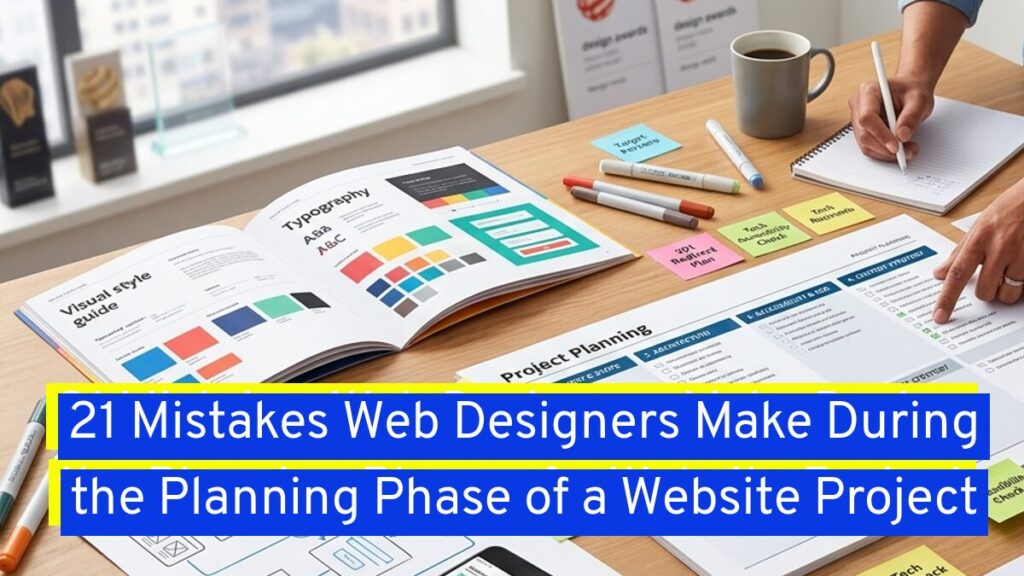
Rather than just lop every mistake together, this article is organized into the following pain point areas:
- The Strategic Planning Gaps
- Technical & Structural Oversights
- Process & Management Failures
- The “After-Launch” Blind Spots
The Strategic Planning Gaps
1. Neglecting the Discovery Phase
Jumping straight into wire-frames without a discovery session is a recipe for disaster. This phase should define the project’s “Why,” the target audience, and the technical requirements. Without it, you’re just guessing.
2. Failing to Define “Success” Metrics
If you don’t define what a successful site looks like (example – a 20% increase in leads or reduced bounce rate), you won’t know if the project worked. Planning must include measurable KPIs.
3. Designing for the Client, Not the User
A common trap is letting the client’s personal taste (like their favorite color) dictate the design. The planning phase should center on the User Persona—the person actually using the site to solve a problem. Explain to the client that while in general, their opinion matters on the design, it’s the visitor’s action once they are on the website is the end goal.
4. Ignoring the Content Strategy
“Lorum Ipsum” or dummy text, is the enemy of good planning. Designing layouts before knowing what the content is (or who is writing it) leads to “content-stretching” where the design looks broken once real text is inserted. Make sure to explain to clients that the dummy text is a placeholder and that any text there should not exceed that designated area.
An example of this would be having 3 service funnels featured on your website’s front page. There’s an image, a general title of the service, and then a short sentence describing the service. This type of content isn’t designed to be super lengthy, as it’s a brief way to entice people to click into the service page.
5. Overlooking the “Buyer vs. User” Distinction
In B2B, the person using the software might not be the one buying it. If your planning doesn’t address the Buyer’s journey (ROI, security, trust), you might build a functional tool that no one ever purchases.
Technical & Structural Oversights
6. Treating Mobile as an Afterthought
Planning a website design project should be Mobile-First. If you plan for desktop and “shrink” it later, you often end up with bloated code and poor mobile UX. Around 75% of online shoppers under the age of 44 are using their mobile phones.
7. Underestimating Migration Complexity
Moving content from an old CMS to a new one is rarely “copy-paste.” Failing to plan for data mapping, 301 redirects, and SEO preservation during migration can tank a site’s ranking on day one. You will need to explain to the client that their project is a complete rebuild, even if the features and designs will nearly be the same as on the previous content management system.
8. Vague Project Scoping
If the Scope of Work (SOW) says “build a contact form” instead of “build a 5-field form with CAPTCHA and CRM integration,” you are inviting scope creep. Make sure your client understands that more effort means that they will be charged for time spent. Don’t forget to put this in your contract that changes to the project scope will result in changing the cost.
9. Forgetting Technical Scalability
Planning for today’s 500 visitors without considering tomorrow’s 50,000 can lead to an architecture that breaks. Plan the database and hosting requirements for future growth.
10. Excluding IT and Security Early
Waiting until launch week to ask the client’s IT department about security protocols or SSL requirements is a classic mistake. Involve them in the planning to avoid late-stage “vetoes.”
Process & Management Failures
11. Design by Committee
Letting 15 stakeholders have an equal vote on the color of a button leads to a “Frankenstein” design. Plan a hierarchy where one Project Owner has the final say. Allowing too many cooks in the kitchen will only delay the project and could even cause huge misunderstandings.
12. Lack of a Visual Style Guide
Starting the build without a predefined system (typography, hex codes, button states) leads to inconsistency. This is a big part of the planning phase and if the company is new, you should be figuring this service into your project’s scope.
13. Unrealistic Timelines
Designers often plan for the “happy path”—the timeline where everything goes perfectly. You must account for “buffer time” or “worst-case scenario” for feedback loops, technical bugs, and life’s general unpredictability.
14. Missing Accessibility Standards
Accessibility (WCAG) shouldn’t be a “final check.” It must be planned from the start, influencing color contrast choices, font sizes, and navigation structure. In not including this in your plan, it could set your client up to be sued.
15. The “I’ll Know It When I See It” Trap
If a client says this, stop. This indicates a lack of clear visual direction. Use mood boards during planning to align on aesthetic goals before a single pixel is moved. Make sure at the beginning to ask for examples of what your client is looking for design-wise, like links to other websites.
The “After-Launch” Blind Spots
16. No Plan for Ongoing Maintenance
A website is a living thing. If you don’t plan who handles plugin updates, security patches, and backups after launch, the site will degrade within months. Some of your clients might not have a big budget for this, so it’s important to either see about a flexible website maintenance plan (example: per month, per 3 months) or inform the customer about the importance of these updates.
17. Ignoring SEO Basics in Architecture
Planning the Information Architecture (IA) without keyword research is a huge mistake. The URL structure and heading hierarchy should be mapped out before the design begins. This will help you in organizing your content so your visitors can easily navigate the website. Additionally, it will help the search engines determine each page and their relation to each other.
18. Misjudging Third-Party Integrations
“We’ll just plug in the API later” is a dangerous phrase. Some APIs are poorly documented or require custom middleware. Research these during the planning phase to avoid budget blowouts. As a note, don’t be afraid to reach out to colleagues for their recommendations, especially if you can’t quite get your head around what you fully need in the website’s project.
19. Not Planning the User Flow
A site isn’t just a collection of pages; it’s a journey. Planning should include user flow diagrams to see how a visitor gets from the homepage to the “Thank You” page. The name of the game is to get your visitors to do something on your website, other than just glance at the front page and then dip out. You want them to view multiple pages, so it’s important that each page has a purpose in leading the visitor to where you want them to go.
In the end, this will help you get that next subscriber, or buyer.
20. Overcomplicating Navigation
Designers often want to be “creative” with menus. Planning should prioritize standard patterns that users already understand. If a user has to “learn” how to use your menu, you’ve already lost them. Additionally, menus should be simple and well-organized, even if the website has thousands of pages.
Some items don’t belong in a main website’s navigational menu. Sometimes they belong as a link on a page that references the content from another page, or an internal page sitemap or organized links section.
21. Failing to Plan the CMS Training
Building a powerful site is useless if the client doesn’t know how to update a blog post. Plan for a “handoff” phase that includes documentation or training videos. While there may be sites like WP101 that are great training resources, you can also create short training videos using the client’s exact website, so it’s easier for them to follow along.
Pro-Tip: The most successful web projects are usually the ones where 60% of the time is spent in discovery and planning, and only 40% is spent in actual design and development.
In Summary
In the end, a successful website is built on the foundation of meticulous preparation rather than just aesthetic flair. By identifying these common pitfalls during the planning phase, you can prevent costly mid-project pivots and ensure the final product serves both the user and the business goals. True design excellence isn’t just about how the site looks at launch, but how well it was engineered to handle the complexities of the real world.
What part of the planning process do you find most difficult to get clients to agree to? What are areas you realize when you’ve finished a project, based on this list, that you’ve often missed?

Leave a Reply