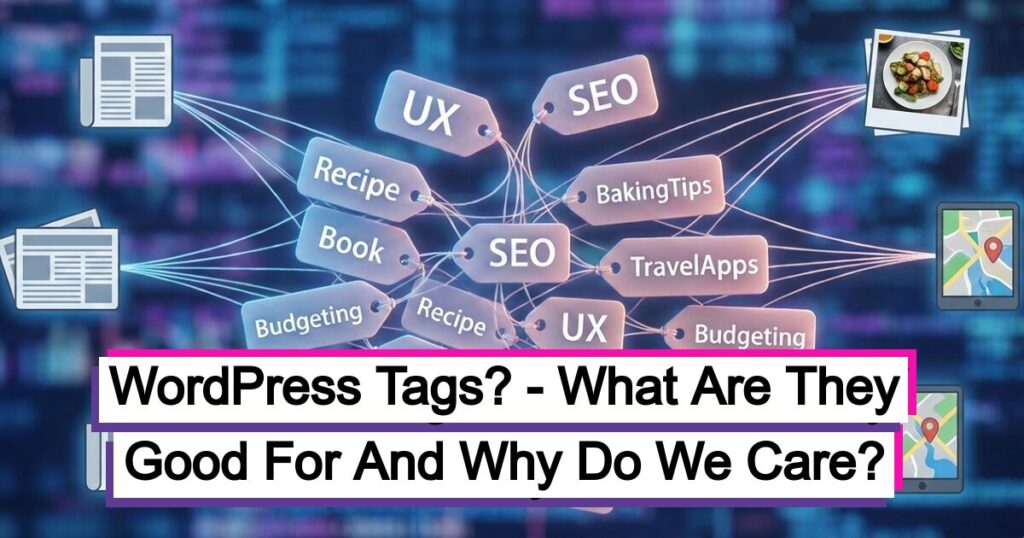
WordPress tags, which function as micro-level descriptors that group particular details within your posts, are a fundamental yet frequently misinterpreted component of content management. In contrast to wide categories, tags function as index entries, significantly enhancing user experience by facilitating simple finding of relevant material throughout your website. Proper tag management is important for building a strong internal linking structure and preventing the production of thin content, even though their direct influence on SEO is complicated. In this article, we’ll dive into the purpose of WordPress tags, their true value, their relationship with search engine optimization, and provide practical tips for effective implementation.
What are WordPress Tags?
Officially referred to as a taxonomy, WordPress tags are one of the platform’s primary organizing functions. They serve as descriptive keywords or phrases that are added to your posts to provide precise, in-depth information about the material. Tags are more akin to index entries, referring to particular features inside your content, as opposed to categories, which are large groups (like chapters in a book).
Here is a quick breakdown of their main purpose and significance.
What Are WordPress Tags Good For?
WordPress tags are mostly used for improving User Experience (UX) and content discover-ability on your website.
- Improved Content Discover-ability: Tags group posts that share specific details, even if those posts belong to different major categories. When a user clicks a tag, they are taken to an archive page listing all posts associated with that tag.This helps them quickly find more of the highly-specific content they are interested in.
- Example: A food blog might have a Category called “Recipes” and another called “Cooking Tips.” A post in “Recipes” about a vegetarian dinner and a post in “Cooking Tips” about preparing vegetables can both use the tag #vegetarian, linking them together for the user.
- Enhanced User Experience: By providing a quick way to find related content, tags encourage visitors to spend more time on your website, exploring different topics. This increased engagement lowers your bounce rate and signals to search engines that your site provides value.
- Flexibility (Non-Hierarchical): Unlike categories, tags are non-hierarchical, meaning they do not have parent-child relationships. They are standalone labels, which gives you greater flexibility in how you organize and cross-reference your posts.
Do WordPress Tags Help the Website’s SEO?
The question of whether WordPress tags directly boost SEO is a subject of debate among experts. The consensus is that while tags are not a primary, high-impact SEO factor like high-quality content or backlinks, they do influence SEO indirectly and can be harmful if misused.
How Tags Can Help SEO (Indirectly)
- Internal Linking and Site Structure: Tags automatically create internal links between related posts via the tag archive pages. A good internal linking structure helps search engine crawlers discover and index your content more efficiently, and it distributes link equity throughout your site.
- Better User Engagement: As discussed, tags improve the user experience by helping visitors find relevant content, leading to longer time-on-site and lower bounce rates. Google uses user engagement metrics as a factor in search rankings.
- Context for Search Engines: Tags provide an additional layer of specific context about your content to search engine crawlers, which can help them better understand the relevance of your pages for very specific, long-tail search queries.
How Tags Can Harm SEO (The Primary Risk)
The main danger with tags is the creation of low-quality or duplicate content pages.
- By default, every tag creates an archive page. If you use too many tags, especially those with only one or two posts assigned to them, you create “thin content” pages that offer little value.
- The content on tag archive pages often heavily overlaps with the main blog archive and category pages. If a tag is named the same as a category (example – both a category and a tag called “Technology”), search engines may see two nearly identical pages, which can confuse them and lead to a potential cannibalization issue, where the pages compete against each other for ranking.
Best SEO Practice for Tags
To mitigate the risk of duplicate or thin content, the most common SEO recommendation is to:
Noindex Tag Archive Pages: Set your tag archive pages to noindex using an SEO plugin (like Yoast SEO or Rank Math). This tells search engines not to include the tag pages in their search results index. This makes sure that the pages are still available for user navigation, but prevents SEO issues by focusing the search engine on your higher-value post and category pages.
Adding and Managing WordPress Tags
Adding Tags to a Post
You can add tags in the WordPress editor:
- In the Block Editor, find the Post settings panel on the right-hand side.
- Expand the Tags section.
- Type your desired tag (example -content marketing), and hit Enter or separate tags with commas.
- You can also click on Choose from the most used tags to maintain consistency.
Managing All Tags
To see, edit, or delete existing tags, navigate to your WordPress Dashboard:
- Posts –> Tags
Here, you can:
- See a list of all existing tags and the number of posts assigned to each.
- Add new tags, slugs, and descriptions (left side).
- Hover over a tag to Edit, Quick Edit (rename), or Delete it.
How Many Tags is Too Much? (And Best Practices)
While WordPress has no hard-coded limit on the number of tags you can use, using too many will be detrimental to both UX and SEO. WordPress tags are one of the platform’s core organizational tools, officially known as a taxonomy. They act as descriptive keywords or phrases assigned to your posts to give specific, micro-level detail about the content.
Unlike categories, which are broad groupings (like chapters in a book), tags are more like the index entries, pointing to specific details within your content.
Here is a quick breakdown of their main purpose and significance.
| Principle | Guideline | Example of Bad Practice |
| Quantity per Post | Limit to 3-7 highly relevant tags per post. | Assigning 20 tags to a single post, diluting the focus. |
| Relevance | Each tag must accurately and specifically describe a detail inthe post. | Tagging a post about “Dog Training Tips” with #marketing because the post mentions your newsletter |
| Consistency | Use the same tag every time (example – always use ebooks, not sometimes ebooks and sometimes e-book) | Using both #running and #run for the same topic. |
| Specificity | Tags should be more granular than your categories. | If you have a Category called “Travel Guides,” avoid a Tag called #Travel. Instead, use specific tags like #budgettravel or #solotravel. You also don’t need to use hashtags in your tags. |
| Uniqueness | Make sure tags have at least a handful of posts assigned to them. Regularly audit and delete “orphan” tags with only one or two posts. | Creating a unique tag for nearly every post, resulting in hundreds of tags with only one associated post. |
In Summary
By using WordPress tags judiciously—focusing on specificity, consistency, and limiting their number per post—you create a powerful internal linking system that greatly improves how visitors navigate and engage with your website.

Leave a Reply